
Birthcare
Birthing Center System
A complete web application for a birthing center clinic. Handles patient admission, labor progress monitoring, delivery records, prenatal visit history, billing, and medical reports | replacing paper charts and manual coordination with a fast, reliable digital system used by nurses and doctors every shift.

Paper charts, handwritten logs, and zero real-time visibility.
The clinic ran entirely on paper | admission forms filled out by hand, labor progress noted on physical charts clipped to the bed rail, and delivery records filed in folders that could go missing. During a busy shift with multiple patients in labor, nurses had to physically walk to each room to check status. Billing was computed manually at discharge, often with errors or missing items.
There was no way to see the state of the floor without walking it. The system needed to bring every patient's status into one screen, accessible to every staff member, in real time.
One screen, every patient, every moment.
- Patient admission | digital intake form captures personal info, OB history, attending physician, and assigned room on arrival
- Labor monitoring | cervical dilation, contractions, fetal heart rate, and vitals logged per partograph with timestamped entries
- Delivery records | birth time, delivery type, baby's weight and APGAR score, and newborn details recorded at the moment of birth
- Prenatal visit history | full timeline of prenatal checkups, ultrasound notes, and previous lab results per patient
- Billing & discharge | auto-generates the bill on discharge with room fees, procedures, and medicines | no manual computation
System modules.
Patient Admission
Digital intake for walk-in and scheduled patients. Captures medical history, OB background, physician assignment, and room allocation.
Labor Monitoring
Partograph-based progress tracking. Nurses log dilation, contractions, fetal heart rate, and vitals | timestamped and charted automatically.
Delivery Records
Birth documentation: delivery time, type (NSD/CS), birth weight, APGAR score, attending physician, and newborn care notes.
Prenatal Visits
Full prenatal history per patient. Each visit logs checkup findings, ultrasound notes, lab requests, and next appointment schedule.
Every screen,
built for the ward.
Designed for busy nurses and doctors who need information fast | large text, color-coded statuses, and minimal clicks from any step to the next.
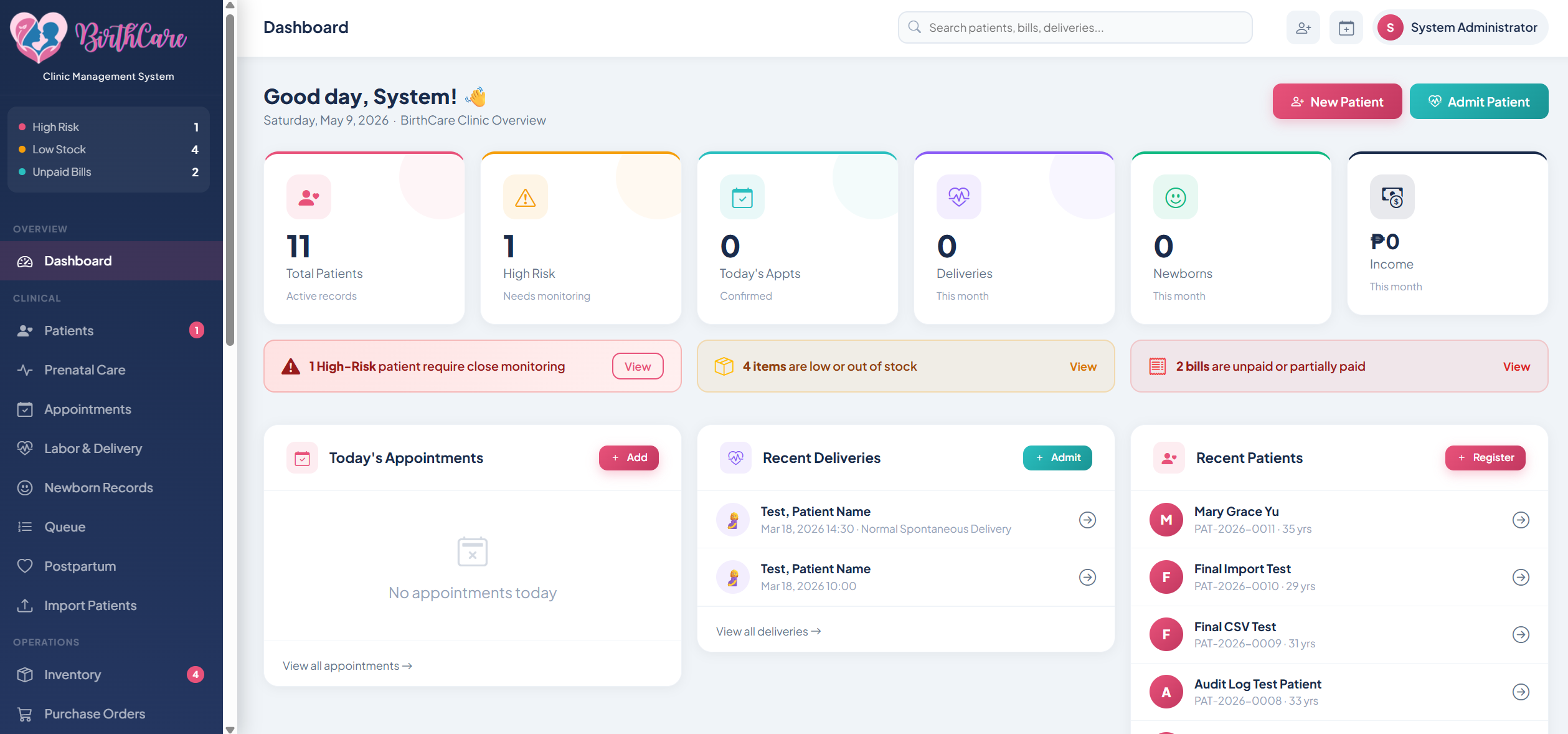
Patient Dashboard
The floor overview | every admitted patient with their current status (waiting, in labor, post-partum, discharged), room number, attending physician, and how long they've been admitted. Color-coded urgency makes priority calls instant.
Live Status All Staff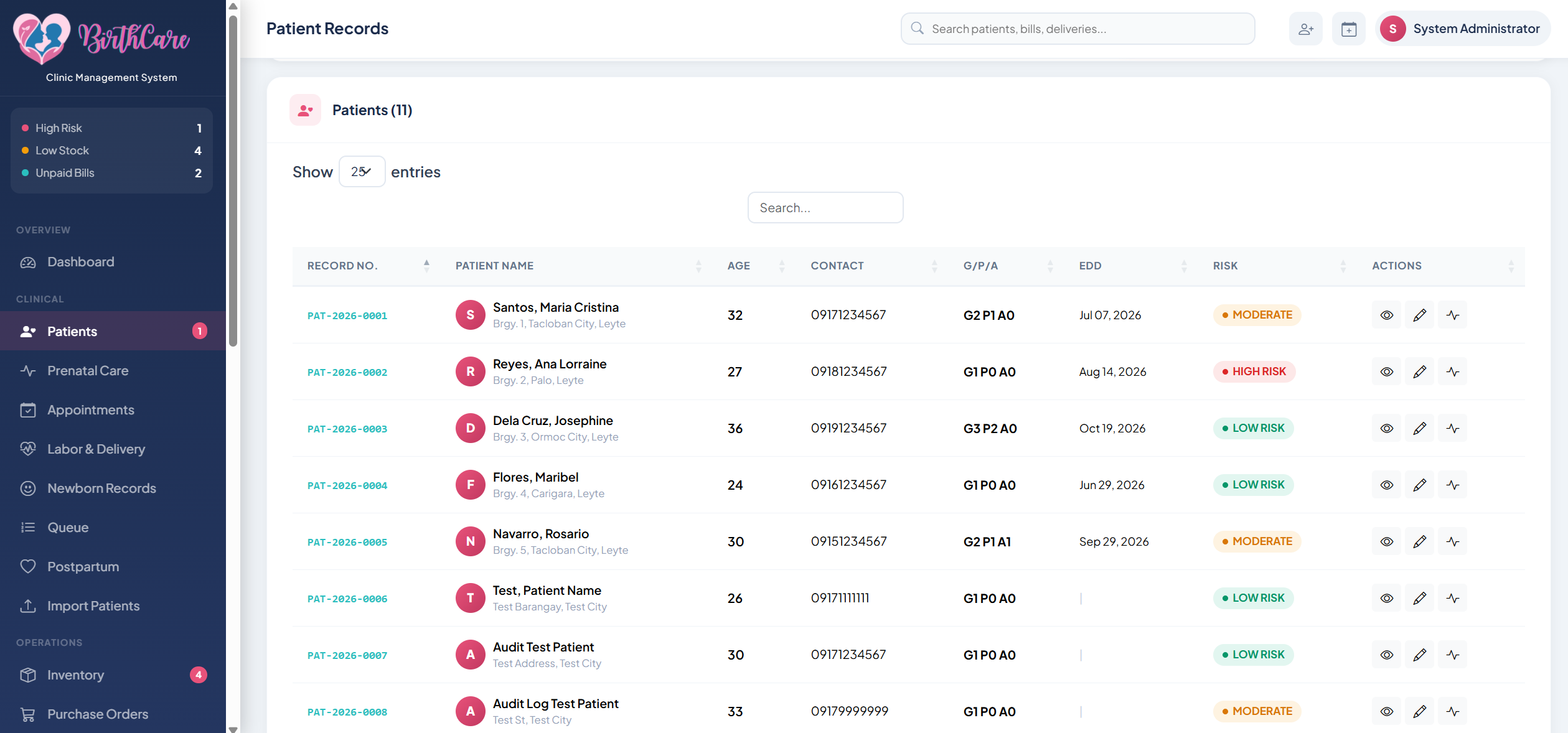
Patient Admission
Step-by-step intake form: personal details, emergency contact, OB history (gravida, para, AOG), attending physician, assigned room, and admission notes. Populates the patient record instantly on save.
Intake Form OB History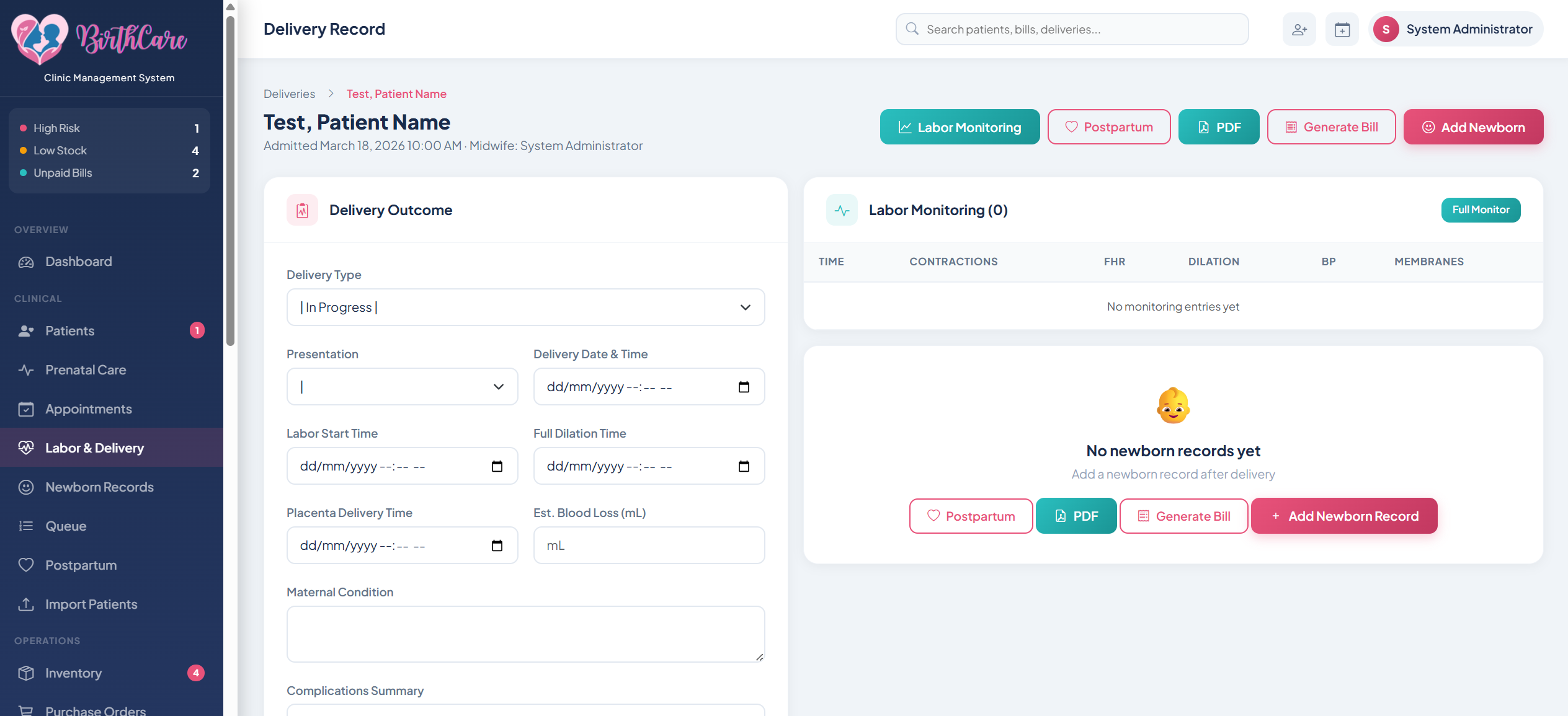
Labor Monitoring
Digital partograph with timestamped entries for cervical dilation, uterine contractions, fetal heart rate, maternal vitals (BP, pulse, temp), and membranes status. Renders a live progress chart nurses can read at a glance.
Partograph Nurse View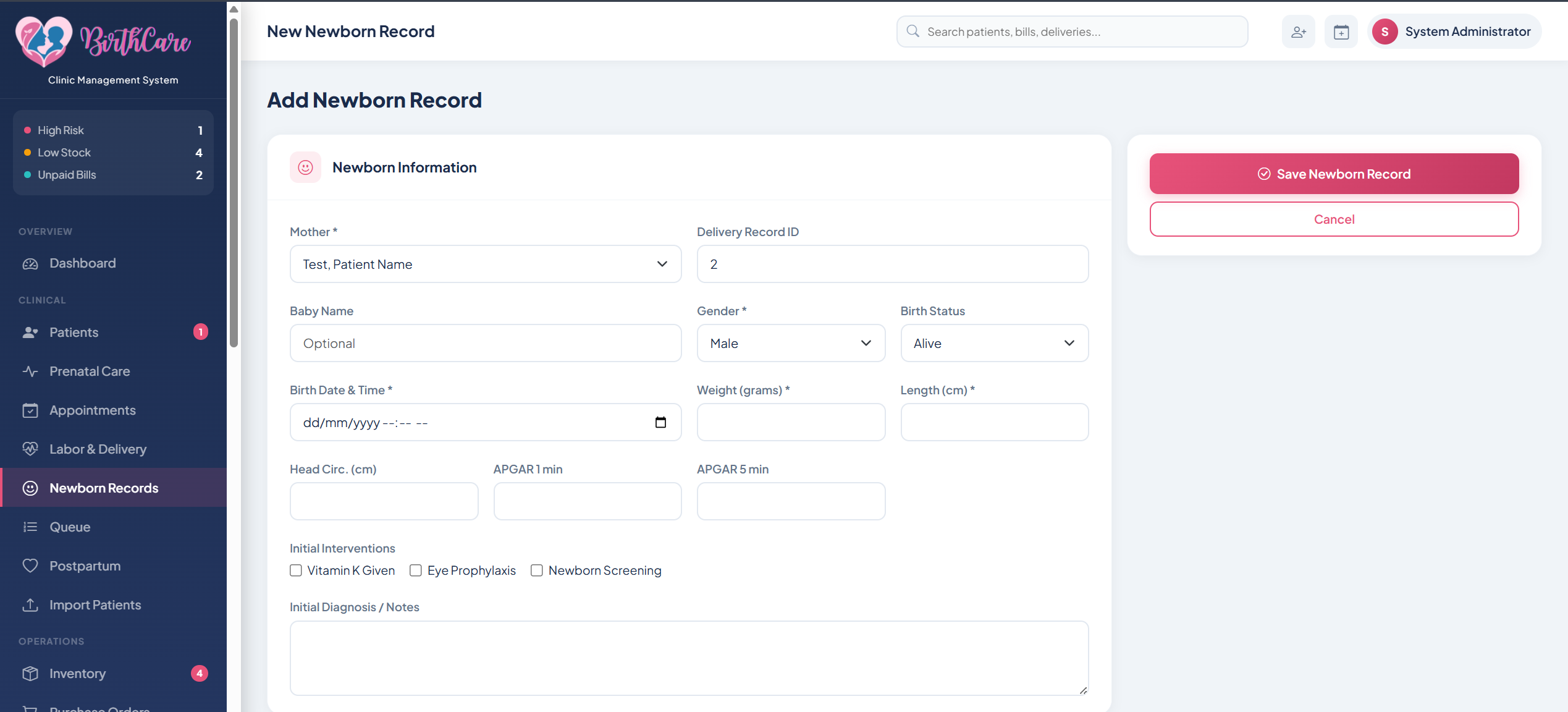
Delivery Record
Captures birth time, type of delivery (NSD / CS / assisted), birth weight, sex, APGAR scores at 1 and 5 minutes, cord clamping, and newborn care procedures.
Birth Record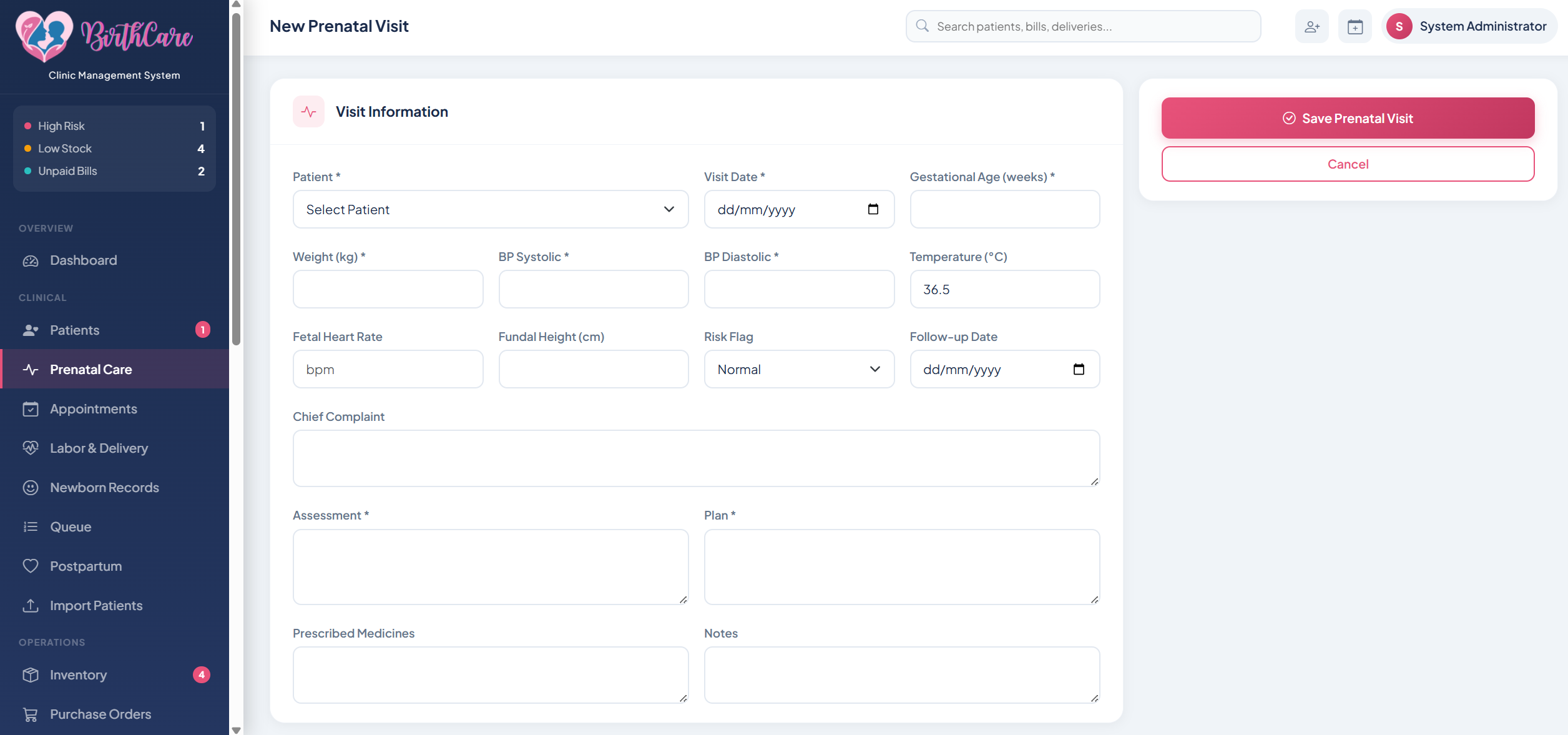
Prenatal Visits
Complete checkup timeline per patient | each visit logged with AOG, BP, fundal height, fetal movement, lab results, and physician notes. Schedule next visit from the same screen.
Visit Log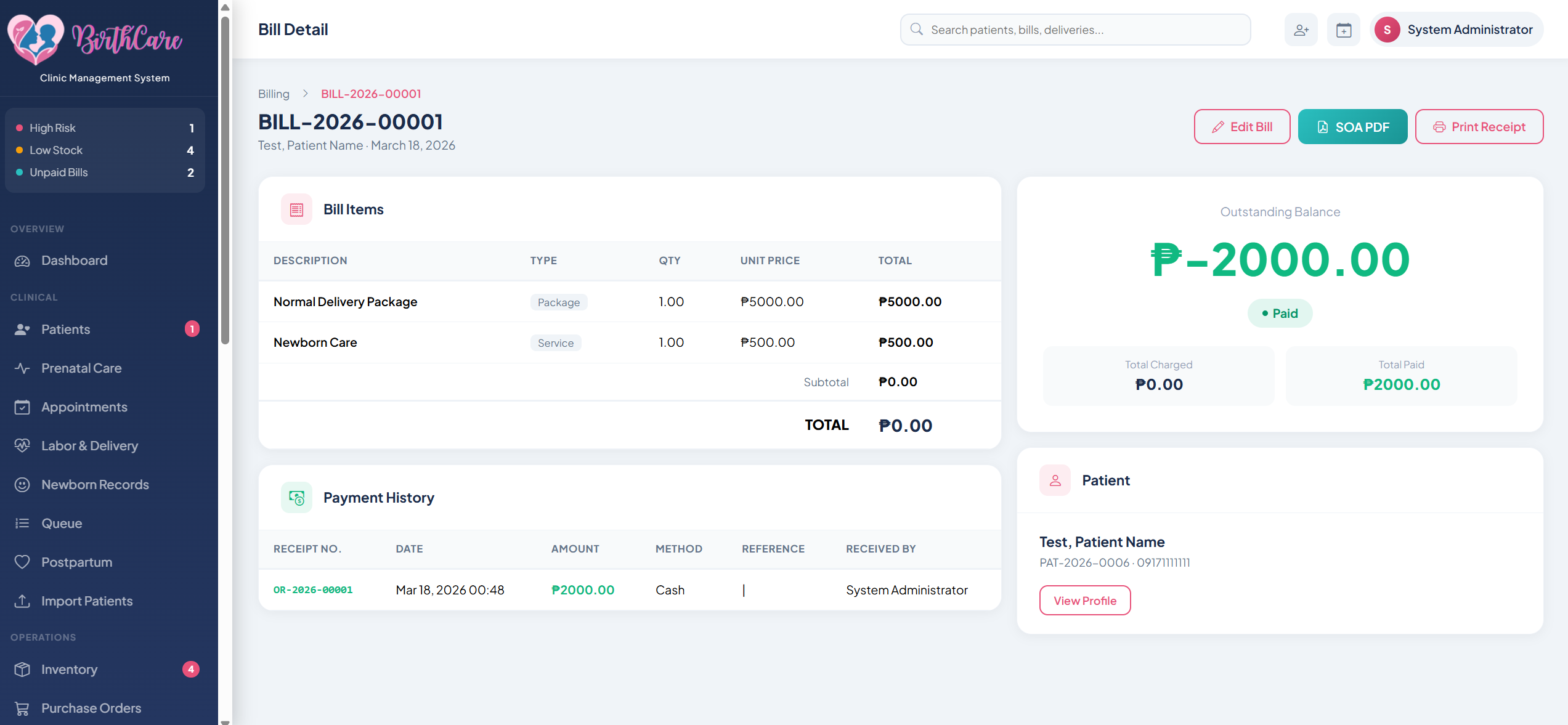
Billing & Discharge
Auto-generated bill at discharge: room fees, delivery fee, procedures, medicines administered, and professional fees. Itemized receipt printed with one click. Payment status tracked per patient.
Auto-Bill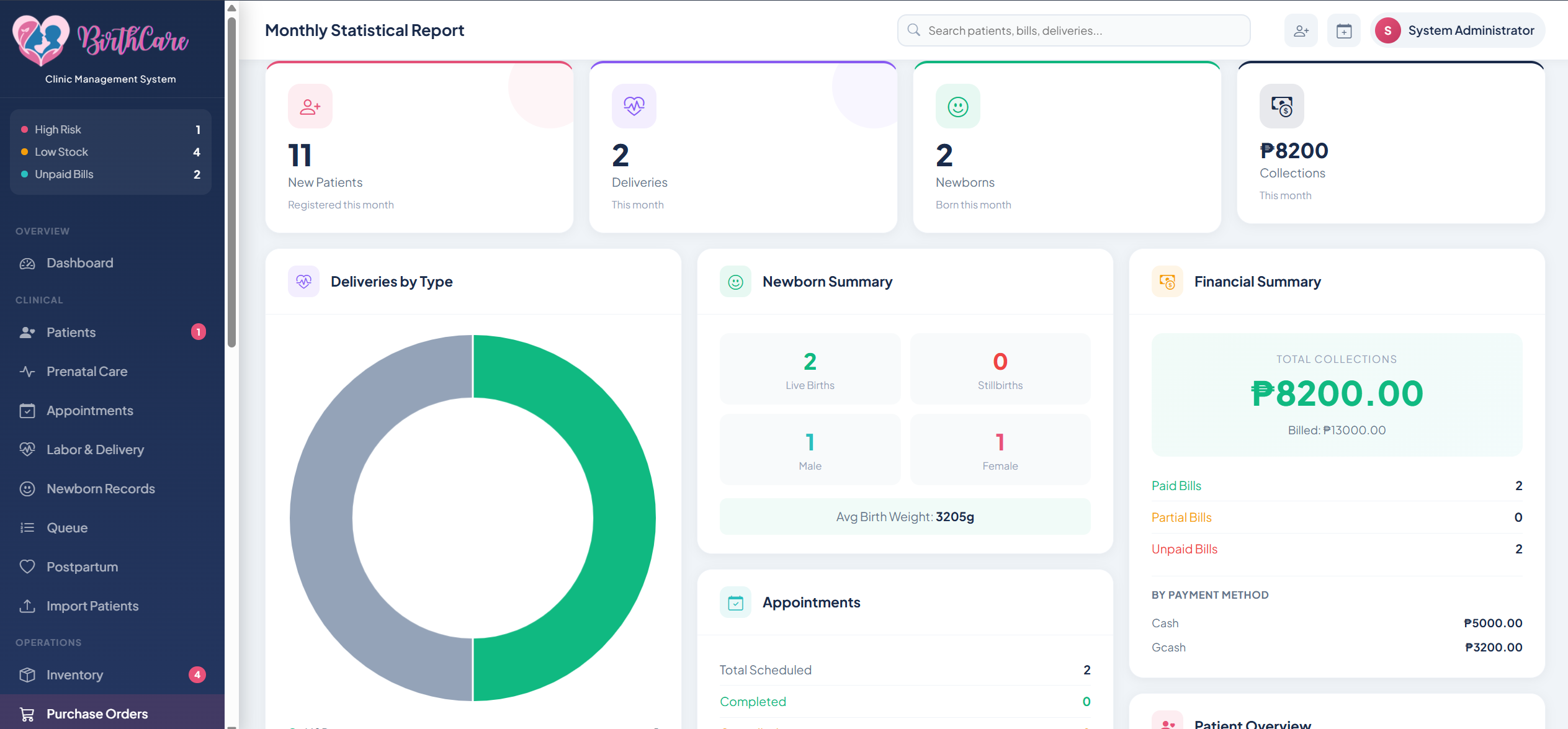
Reports & Statistics
Monthly and annual summaries: total deliveries, NSD vs CS breakdown, average length of stay, patient volume by month, and revenue reports. Exportable to PDF for DOH reporting requirements and clinic management review.
DOH-ready PDF Export Monthly Stats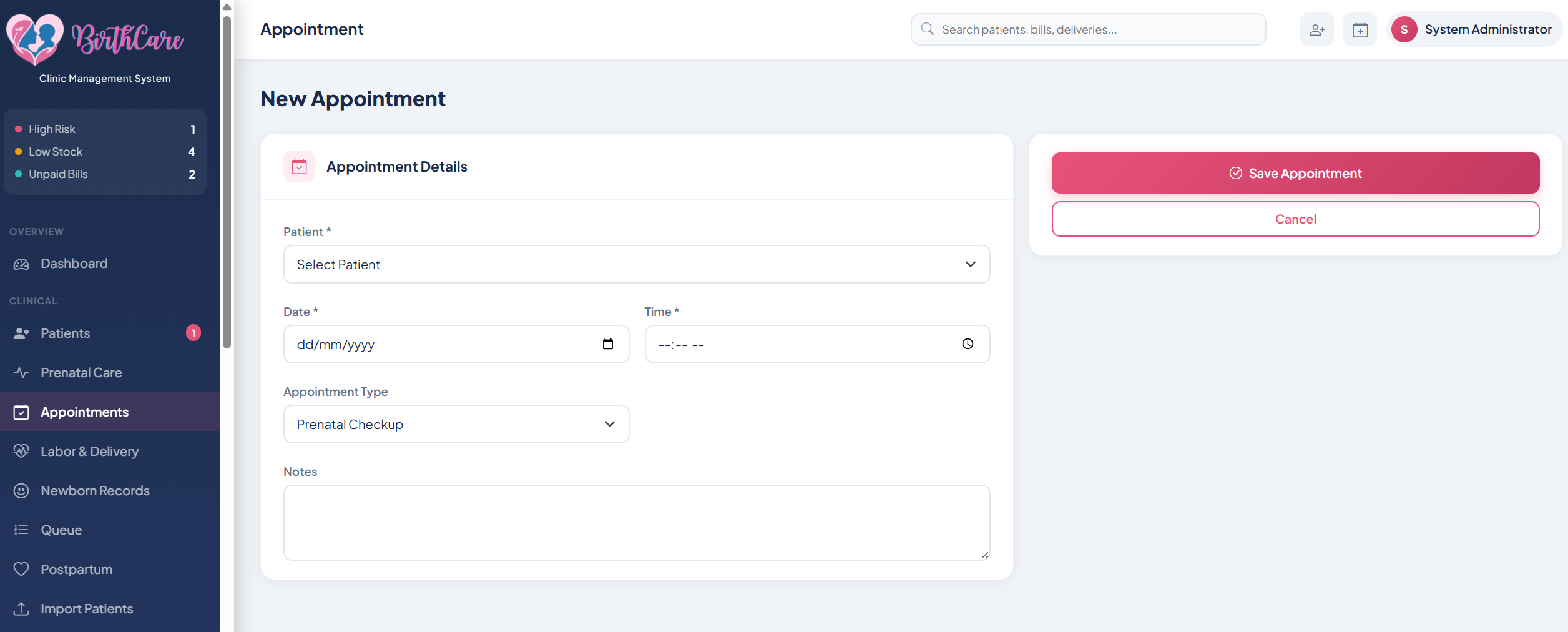
Appointments
Scheduled patient appointments in one view. Track upcoming visits, assign staff, and flag no-shows without leaving the dashboard.
Scheduling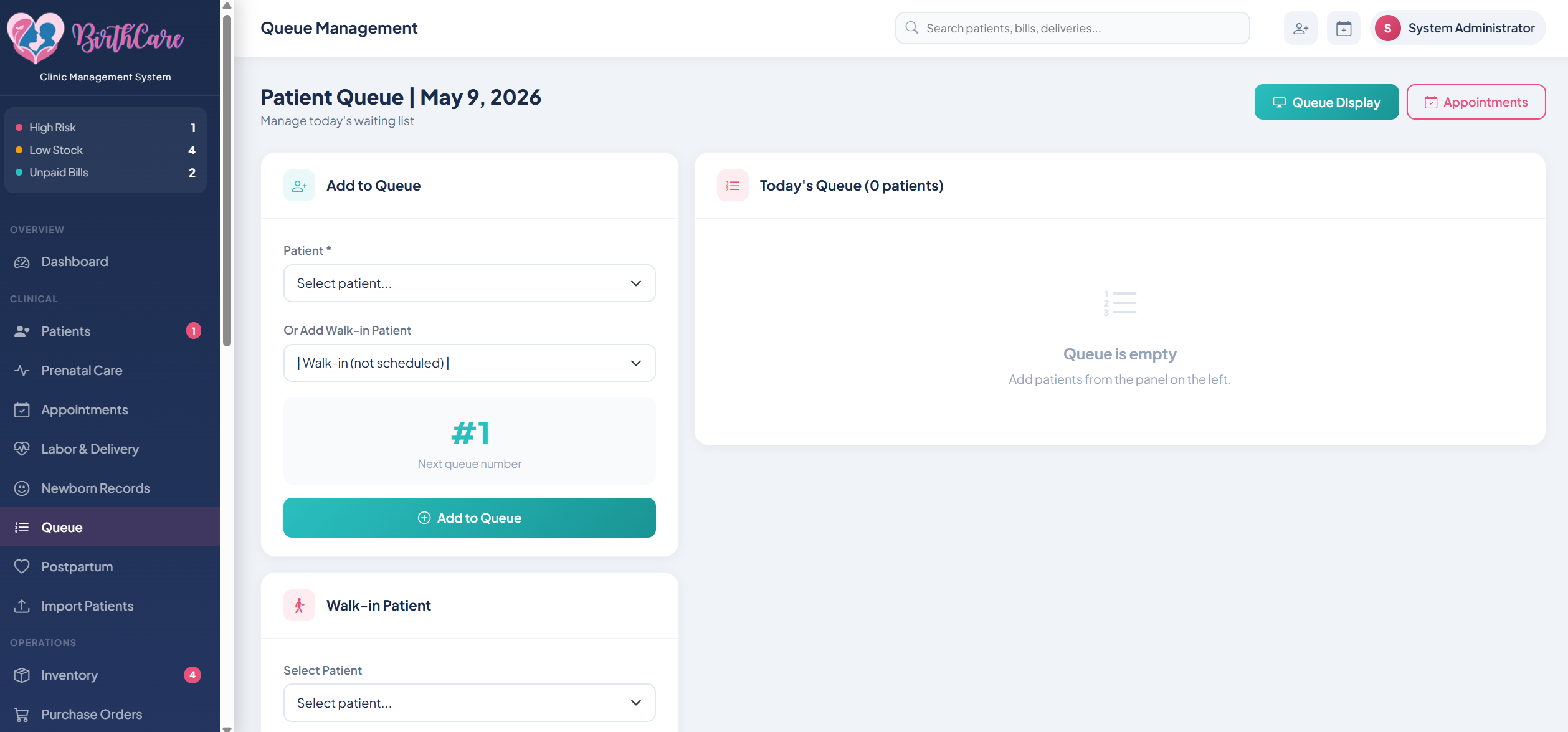
Queuing System
Walk-in patient queue managed digitally. Assign queue numbers, set priority levels, and notify patients when it's their turn.
Walk-in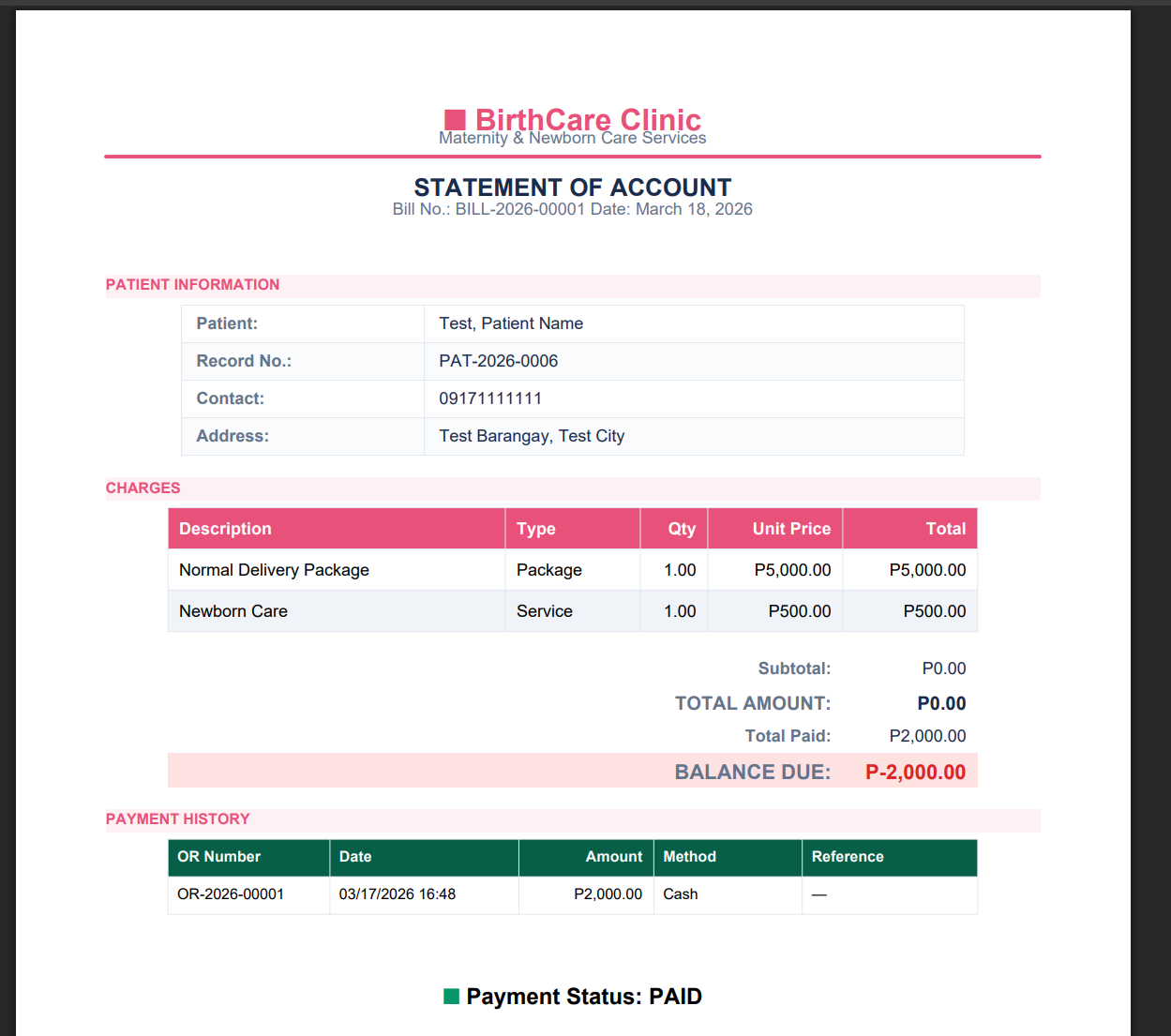
Billing — Itemized
Line-item breakdown of all charges: procedures, medicines, room fees, and professional fees per patient stay.
Itemized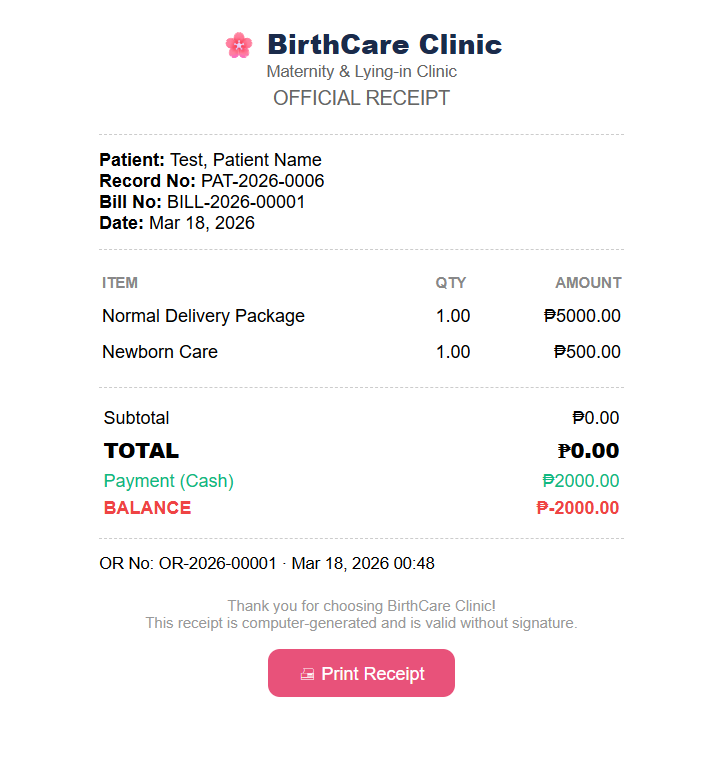
Billing — Receipt
Print-ready receipt generated at discharge. Captures full payment summary and payment mode for patient records.
Receipt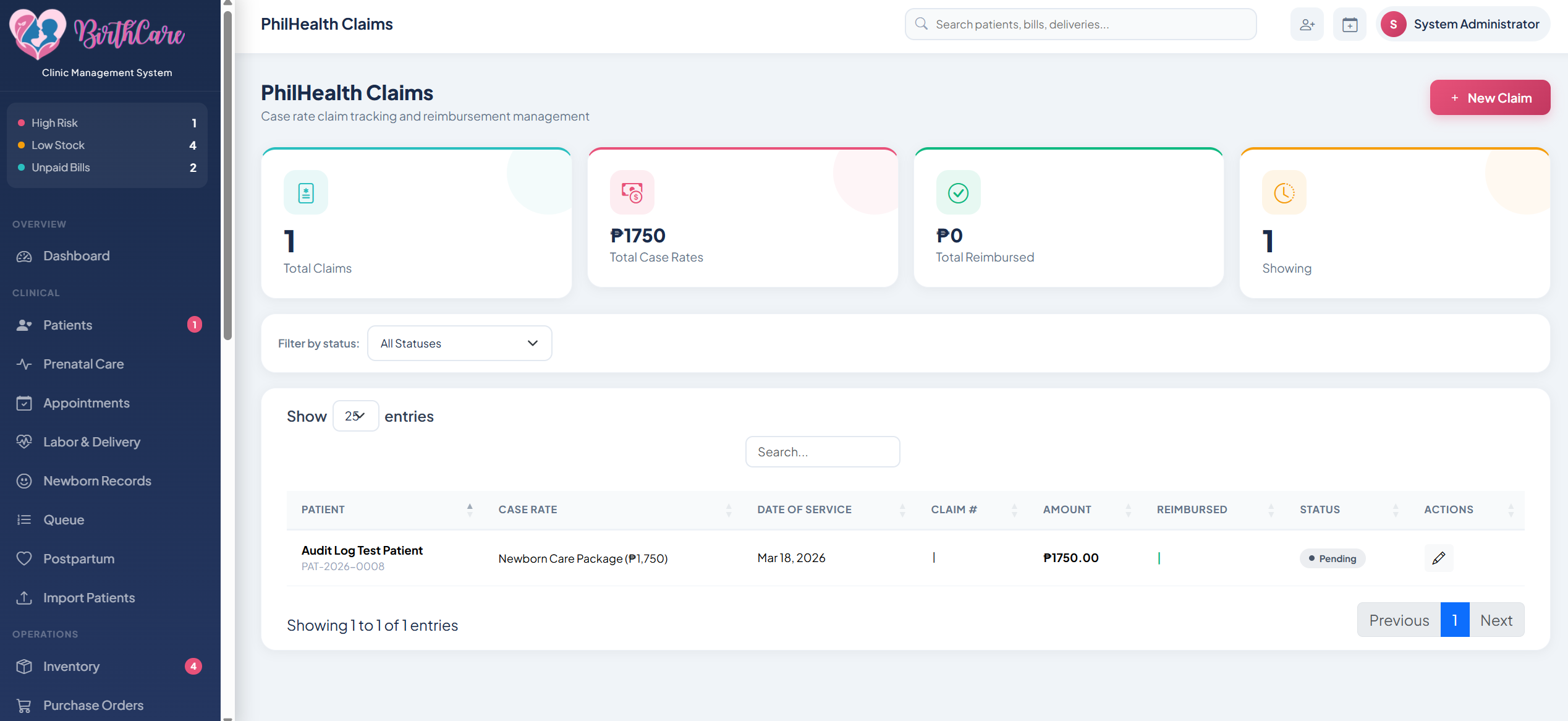
PhilHealth Claims
Automated PhilHealth claim filing tied directly to patient discharge records. Reduces manual encoding errors and tracks claim status per patient.
Government Auto-fill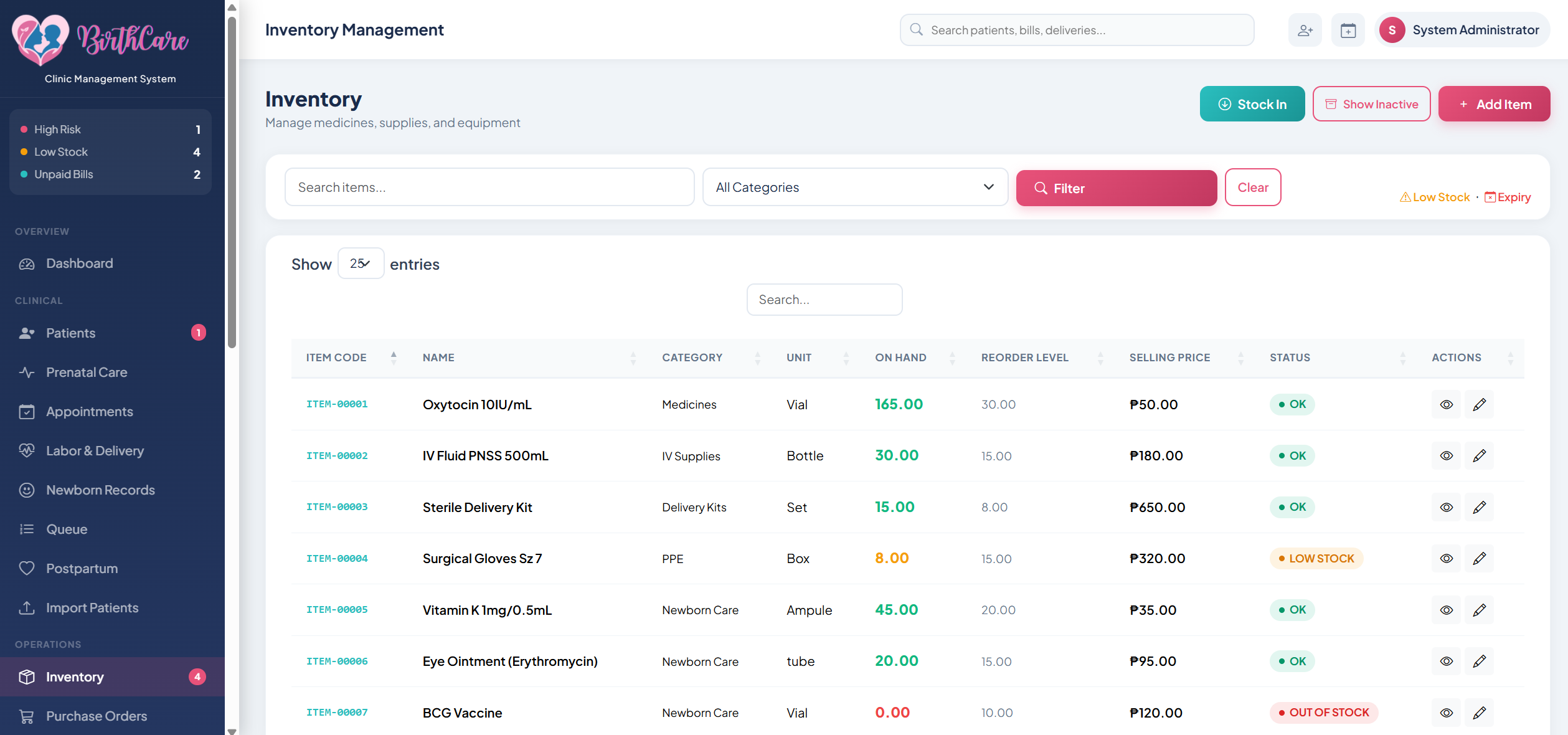
Clinic Inventory
Track medicine and supply stock levels, set low-stock alerts, and log restocking history.
Stock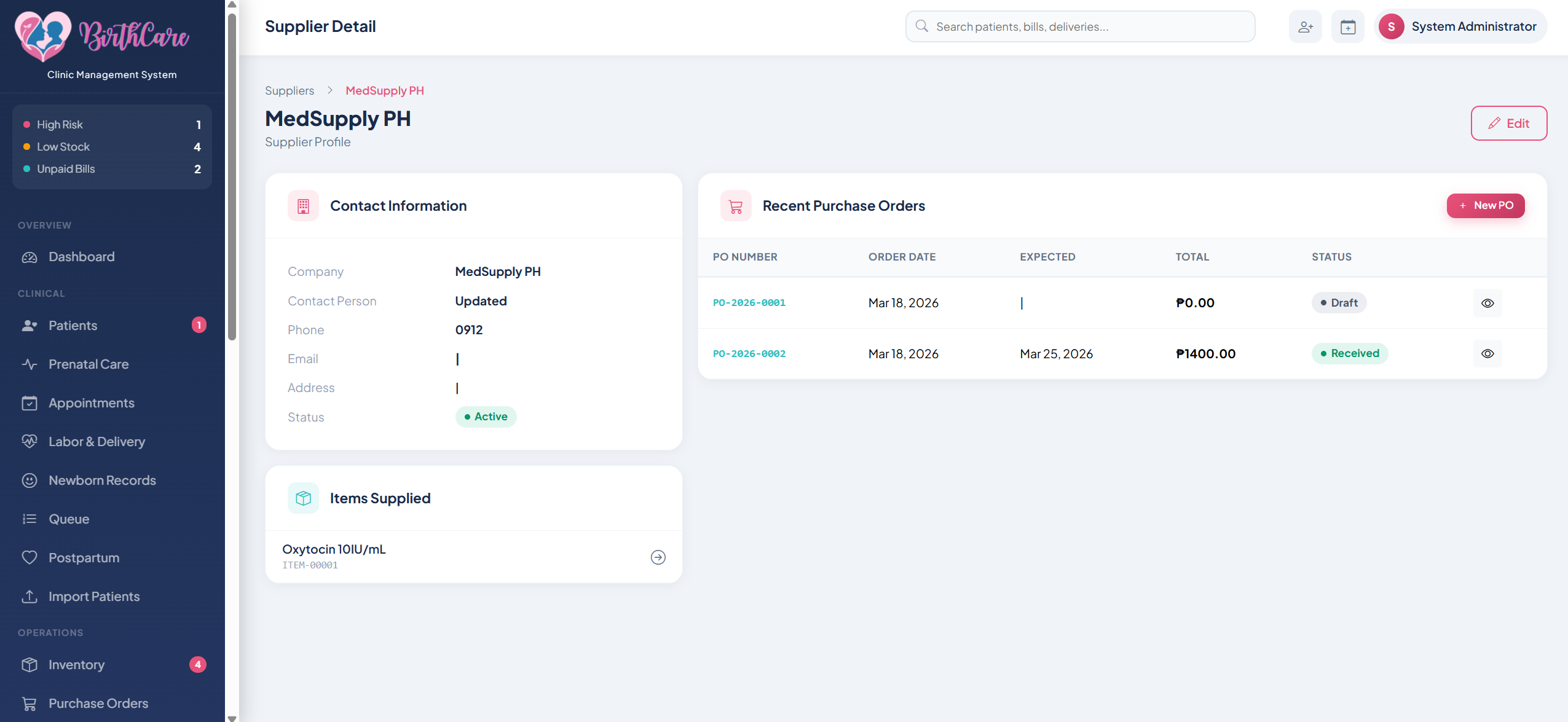
Clinic Supplies
Consumable and equipment tracking separate from medicines. Linked to usage per patient for accurate cost accounting.
Consumables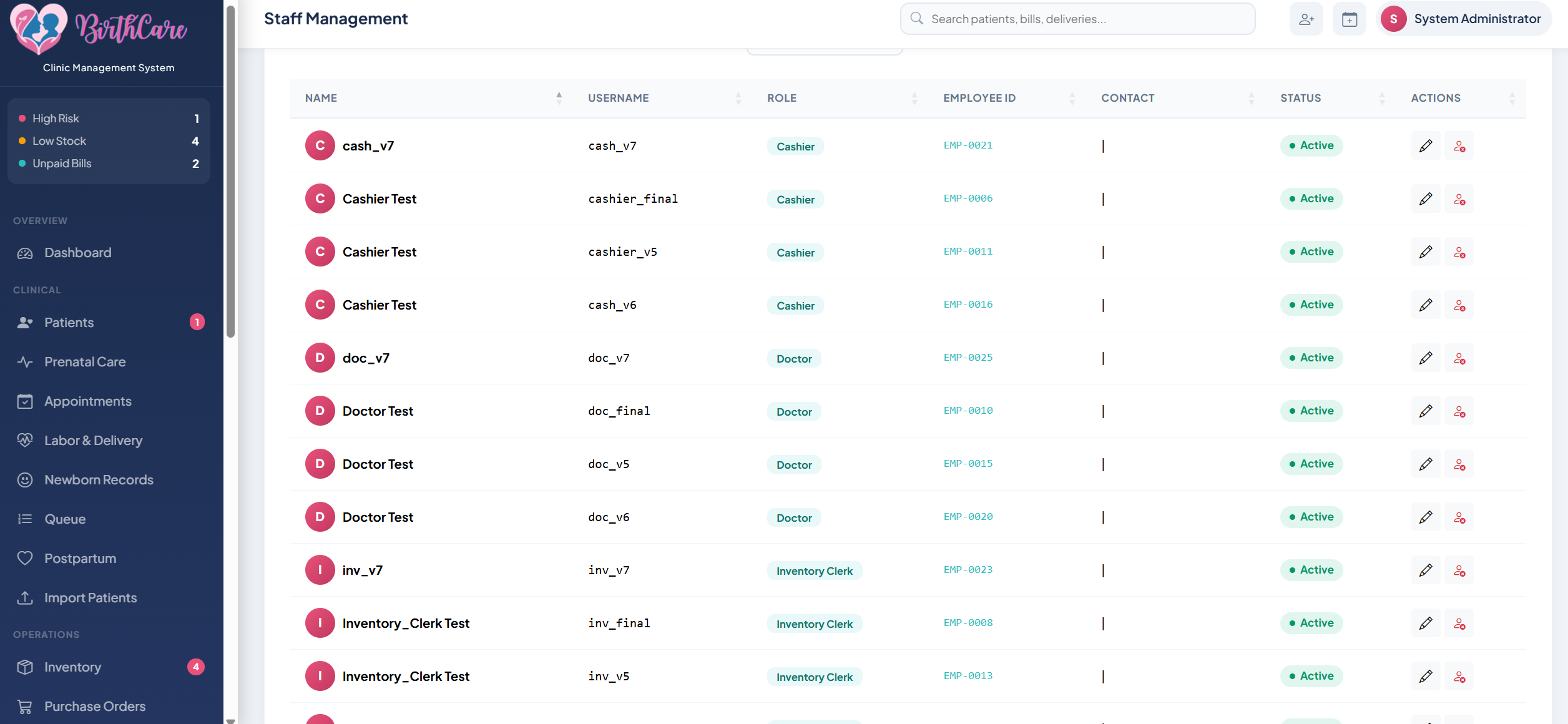
Staff Management
User accounts, roles, and shift assignments per staff member. Controls access level for nurses, doctors, and admin.
Roles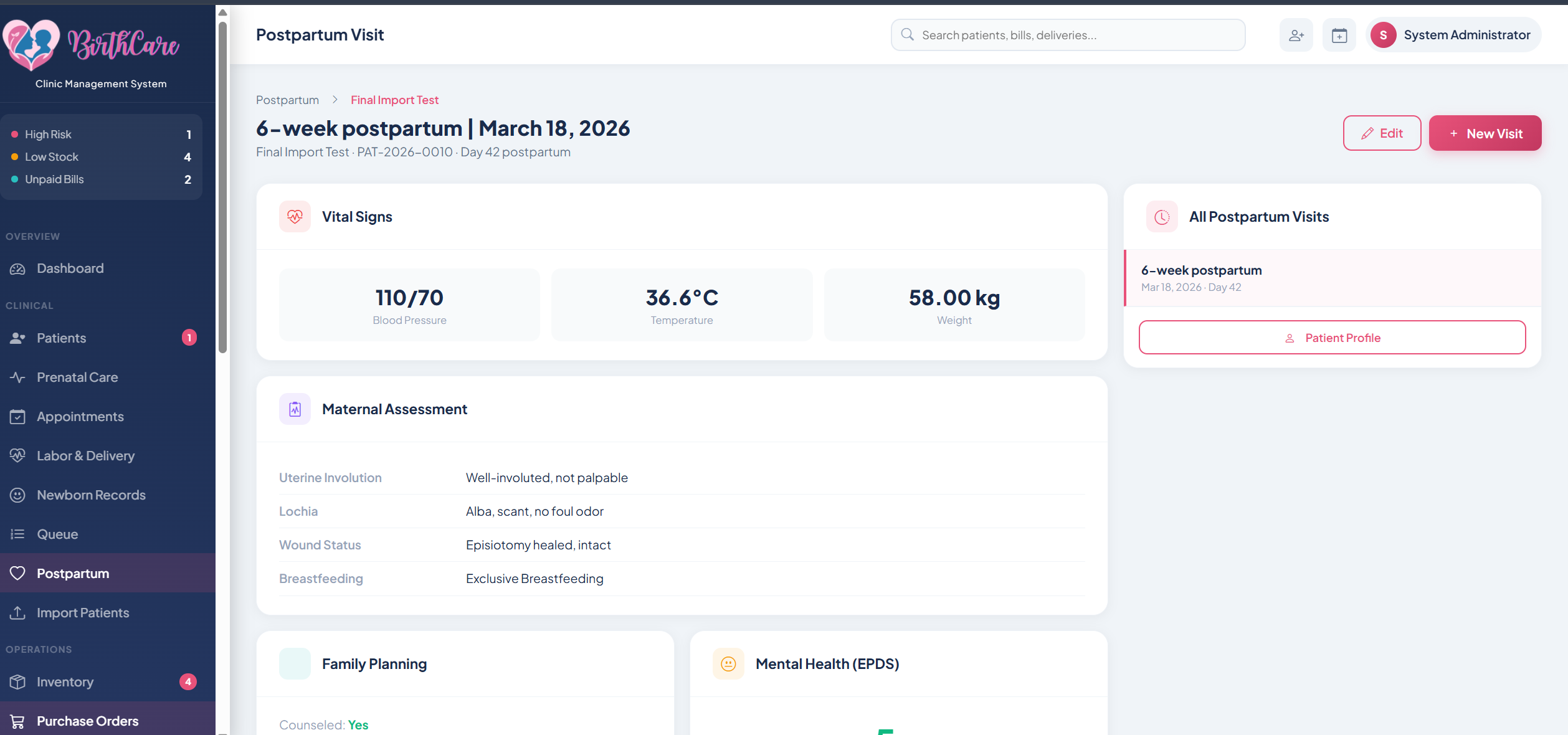
Postpartum Visit
Post-delivery follow-up tracking. Logs recovery status, newborn check-up notes, and scheduled return visits after discharge.
Recovery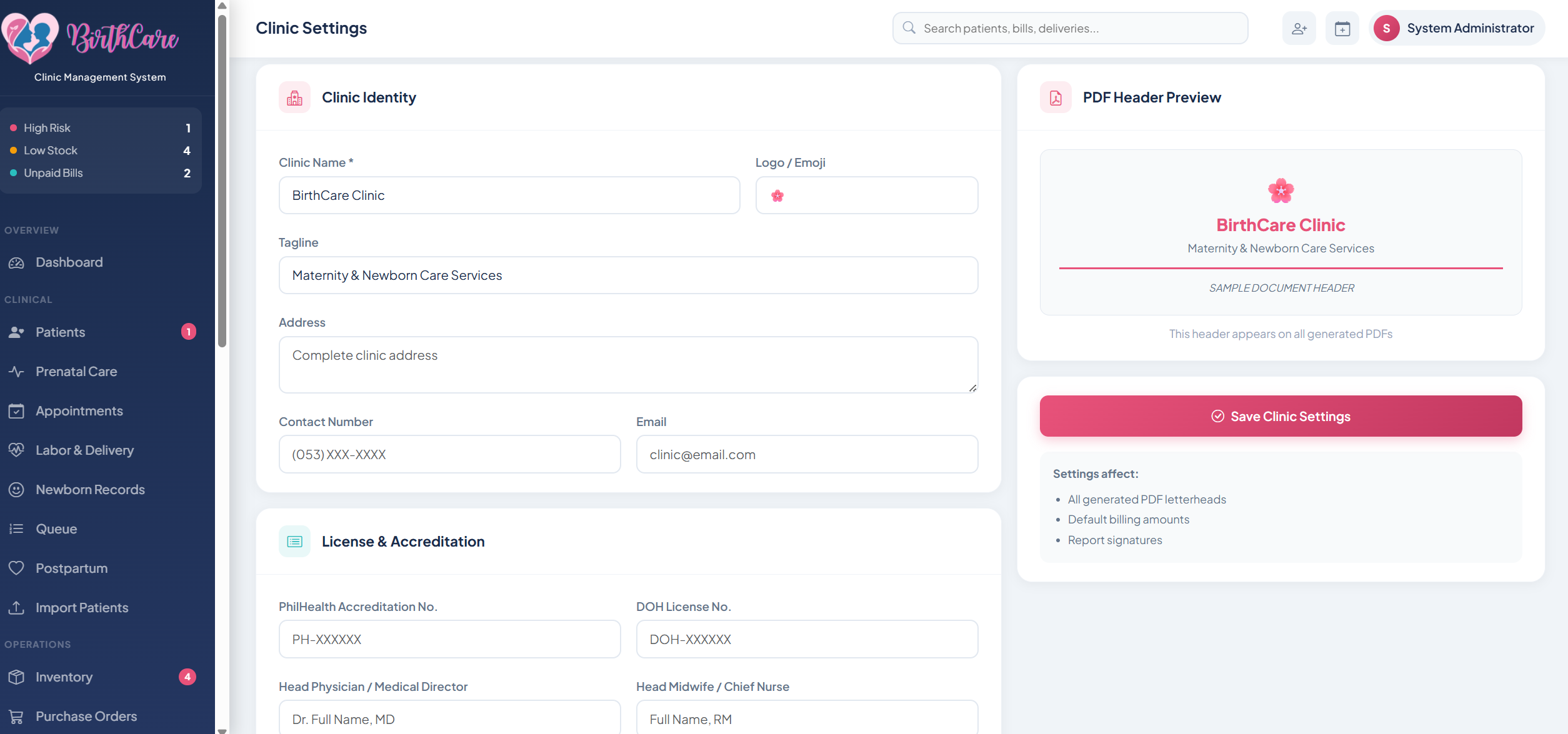
Clinic Settings
System-wide configuration: clinic name, room setup, fee schedules, PhilHealth codes, and notification preferences.
Admin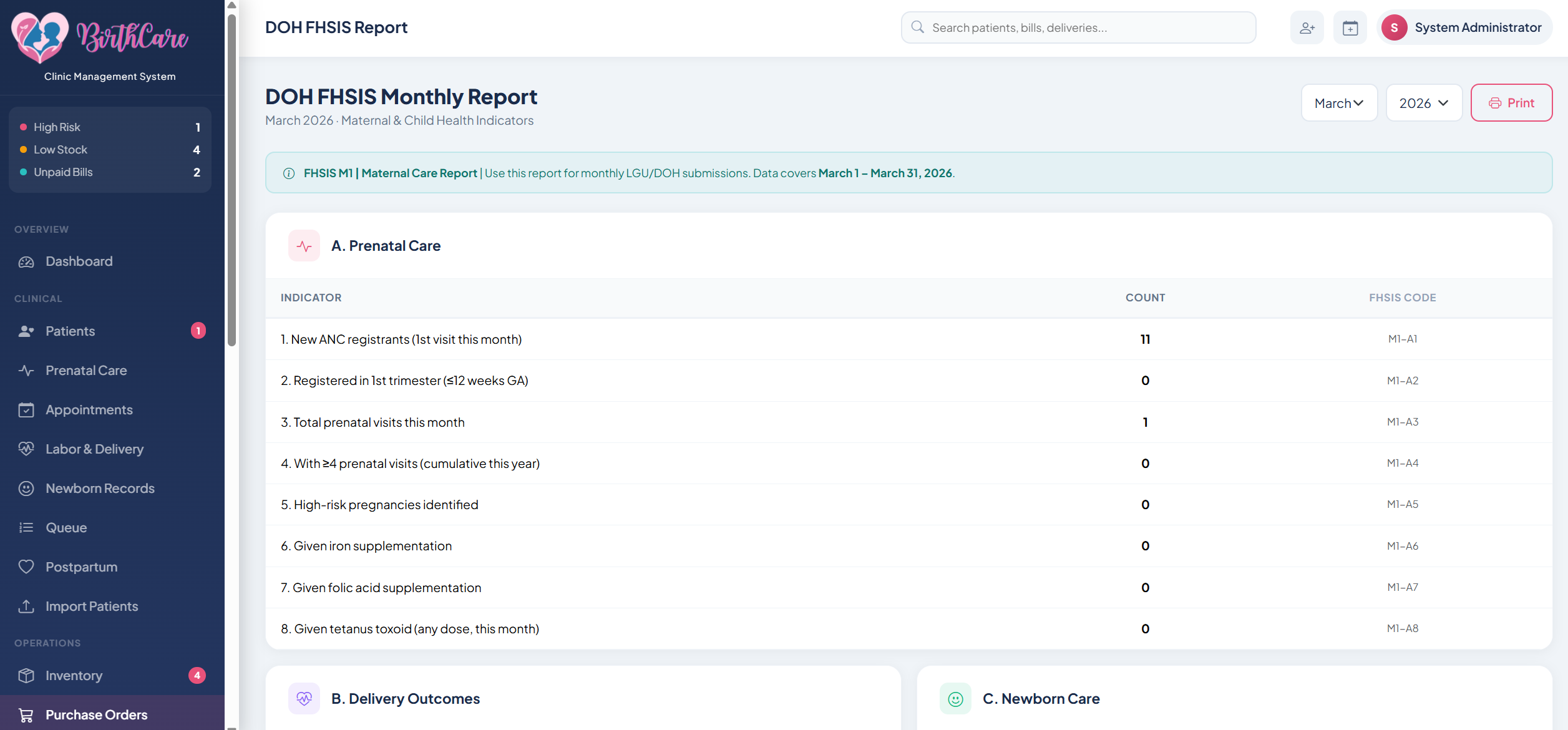
DOH FHSIS Report
Auto-populated Department of Health FHSIS monthly report. Pulls live data from patient records — no manual encoding required for government compliance.
Government Auto-fill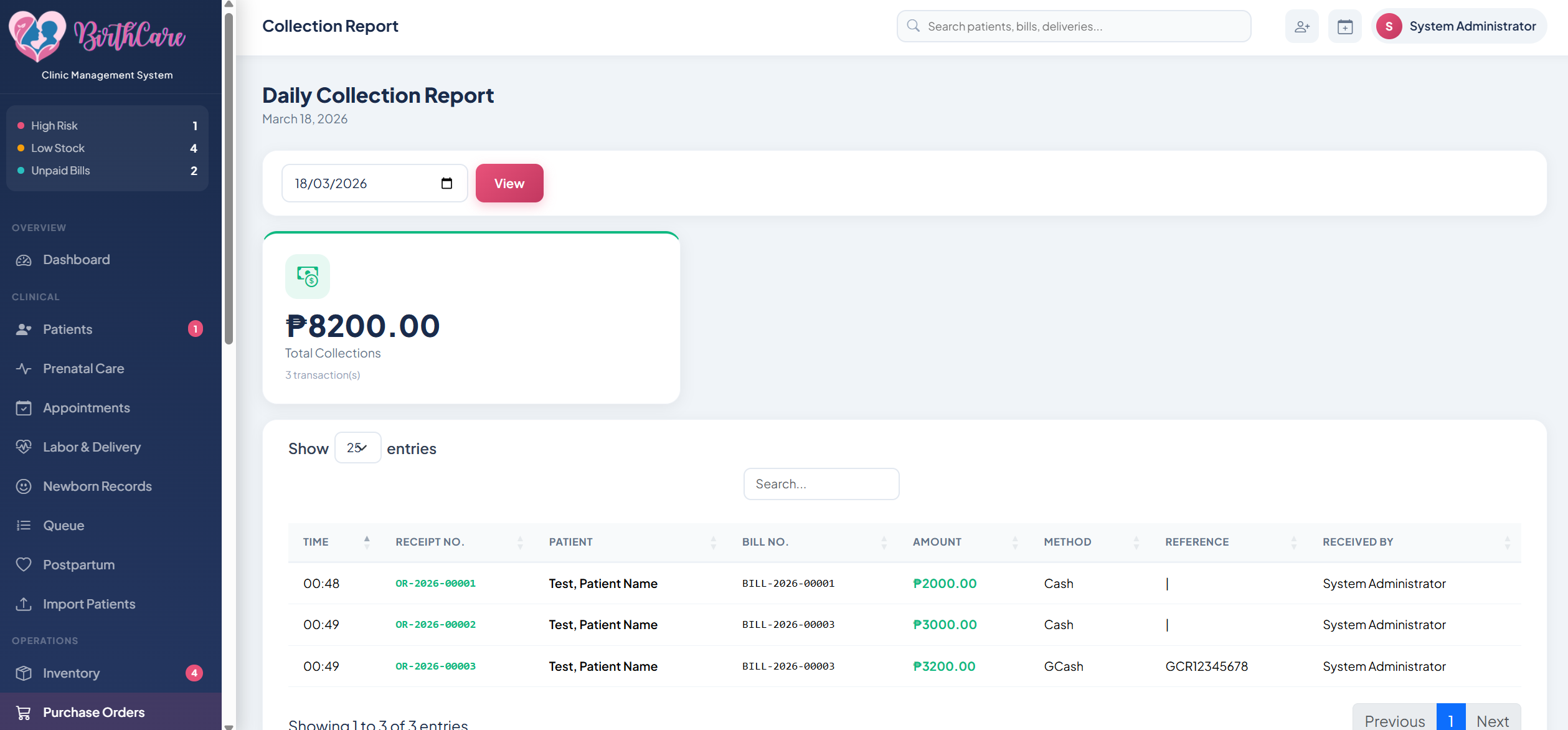
Daily Collection Report
End-of-day revenue summary showing total collections, payment breakdowns by mode (cash, PhilHealth, HMO), and individual transaction logs.
Finance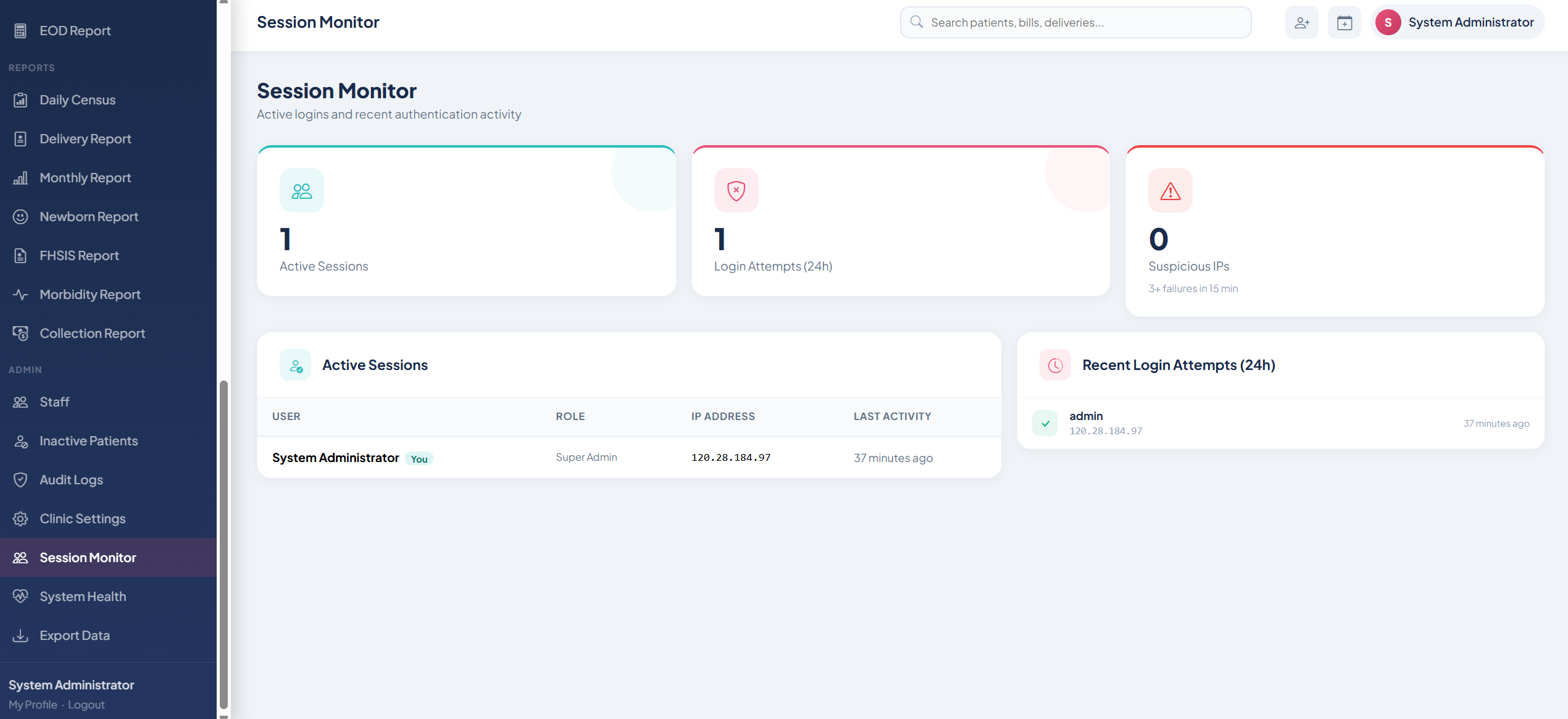
Session Reports
Per-session clinic activity log: patient volume, procedures performed, and attending staff per duty period.
Activity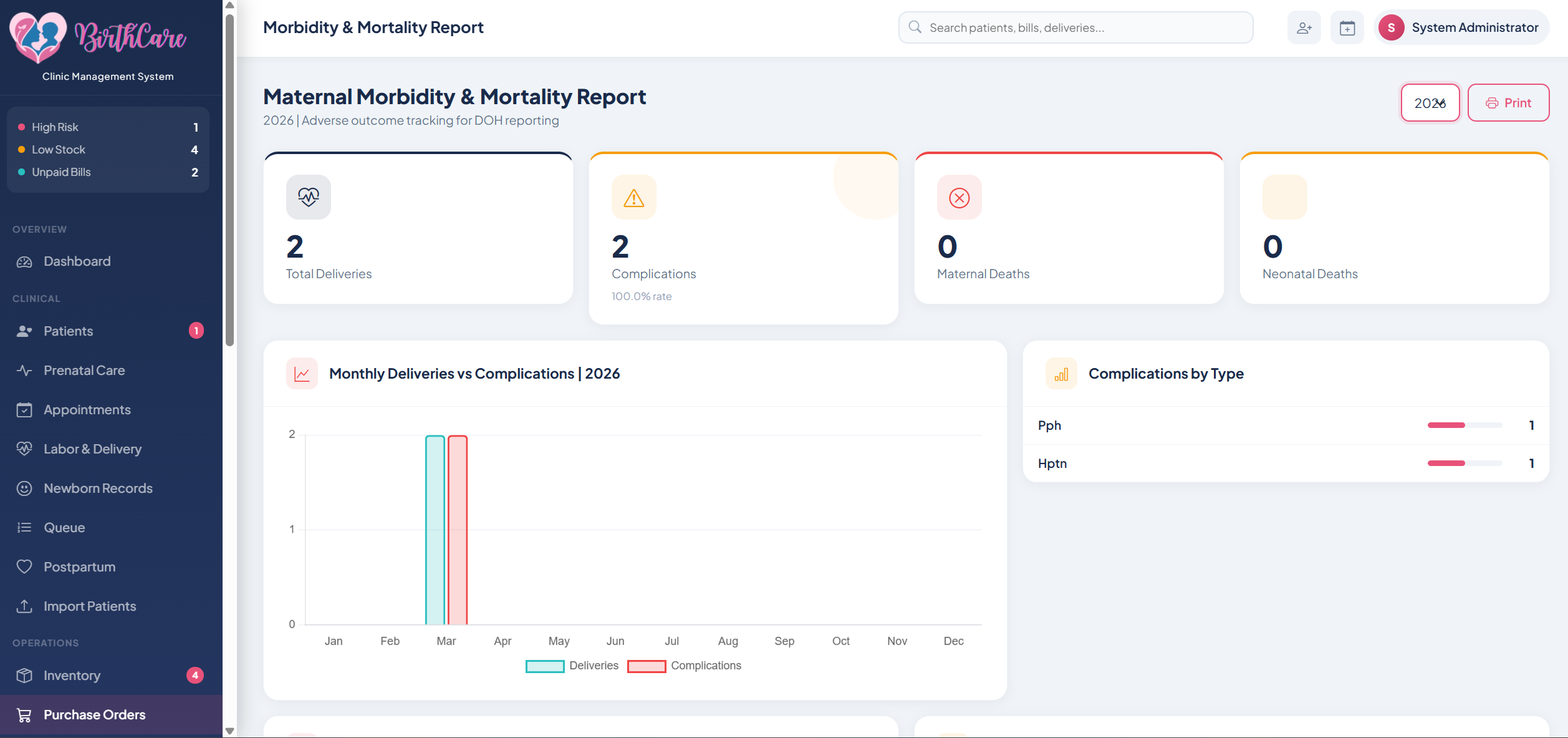
Maternal Morbidity & Mortality
Critical clinical report required by DOH. Tracks complications, interventions, and outcomes per delivery for quality assurance and government reporting.
Clinical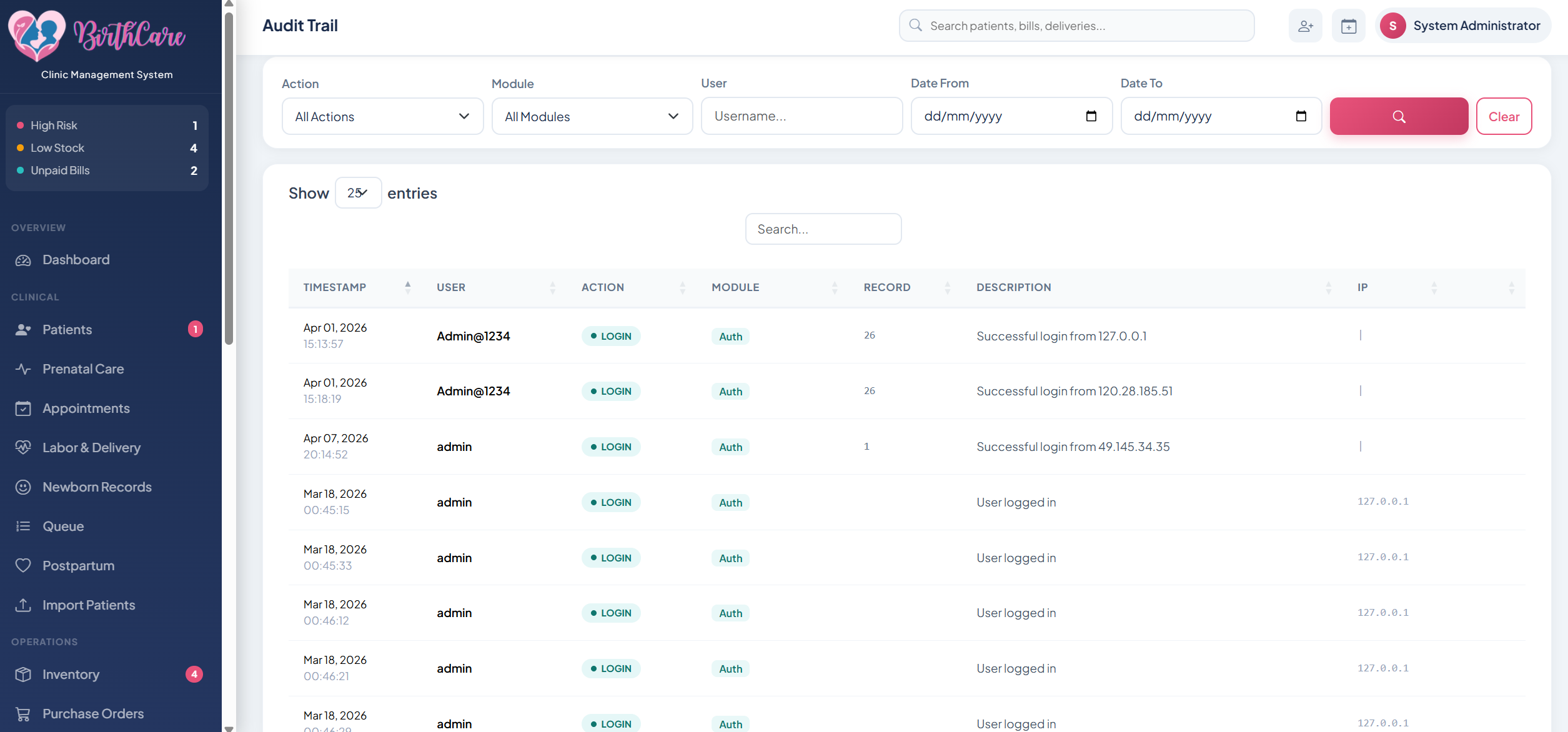
Audit Trail
Full log of every system action: who accessed what, when records were edited, and any data changes with timestamps and user attribution.
Security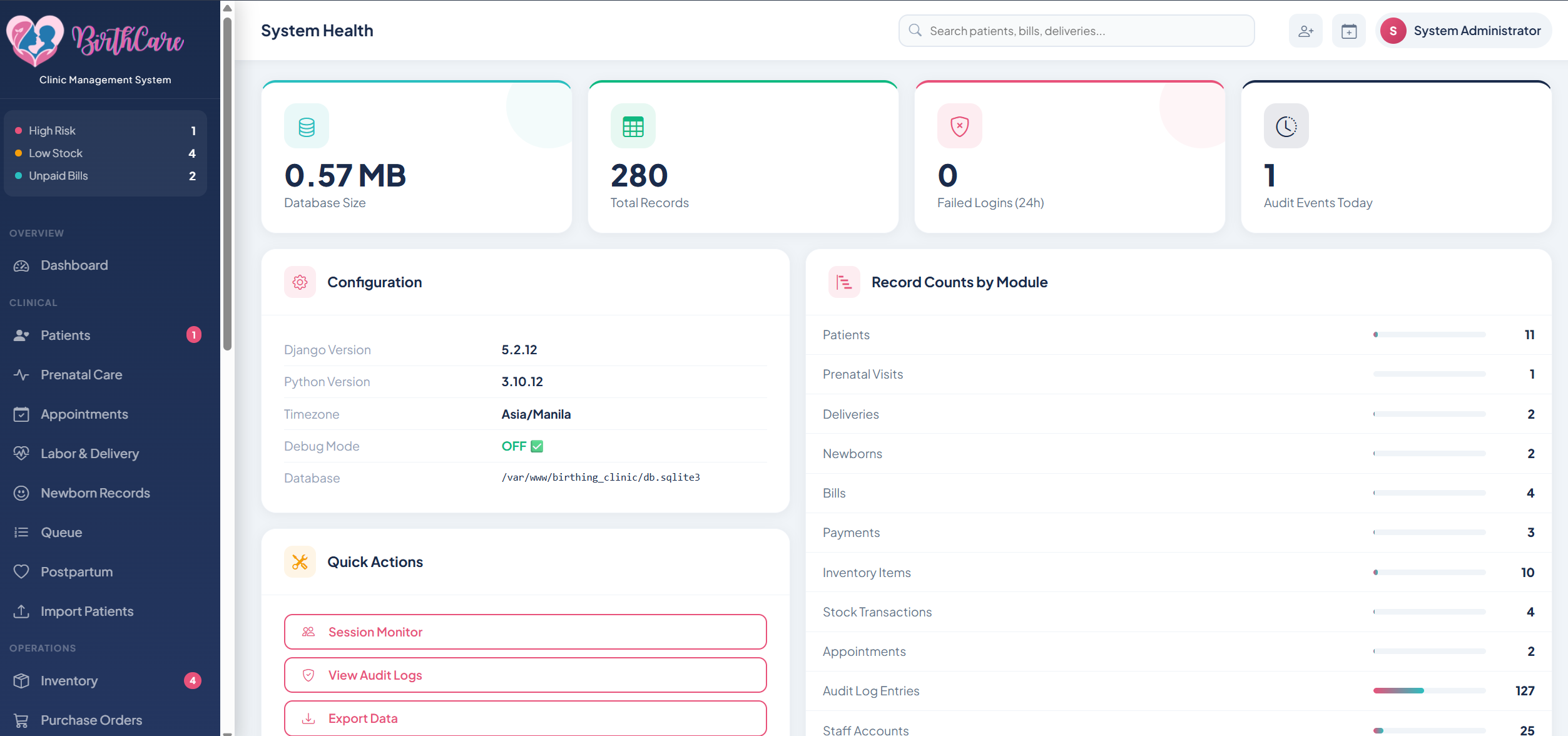
System Health
Real-time dashboard of server uptime, database status, active sessions, and backup logs. IT staff get instant visibility into system performance without needing to SSH in.
Uptime Admin
How it's built.
Python + Django
Robust backend framework handling clinical data models, user authentication, and server-rendered views optimized for reliability on low-bandwidth clinic networks.
Node.js + Express
RESTful API handling patient records, labor entries, delivery events, and billing calculations with validation at every step to protect medical data integrity.
PostgreSQL
Relational schema modeling patients, admissions, labor logs, prenatal visits, deliveries, and billing | with full audit trail for every record change.
Built with Love
Every workflow designed with nurses in mind | minimal clicks per task, no data entry repeated twice, and offline-tolerant so a slow connection never blocks a critical record.